
QosQos|c
Request a demo
SECTORS / HOTEL & HOSPITALITY

Make operational loss visible across your hotel.

Across one property or many, run tasks, maintenance work and cross-department actions through one flow with clear owners. Make delays, repeat work and open loops visible. QOS does not replace your PMS—it is the execution layer for daily operations.

Request a hotel demoSee the capabilities →
HIDDEN LOSS IN HOTEL OPERATIONS

Where does work get stuck?

Work disappears in messages during shift and department handovers
Every item has one owner, due date, status and next action.
Room and facility issues scatter across calls and chat threads
A traceable flow from issue to work order, assignment and evidenced closure.
Head office sees delayed work only after the problem grows
Delayed work and ownership gaps are visible by property and team.
Procedures, training, supplier and audit actions live in separate tools
Documents, competence, supplier and action evidence stay on one operating backbone.
FROM THE FIELD TO VERIFIED CLOSURE

Keep the measurement, owned action and evidence in one operating chain.

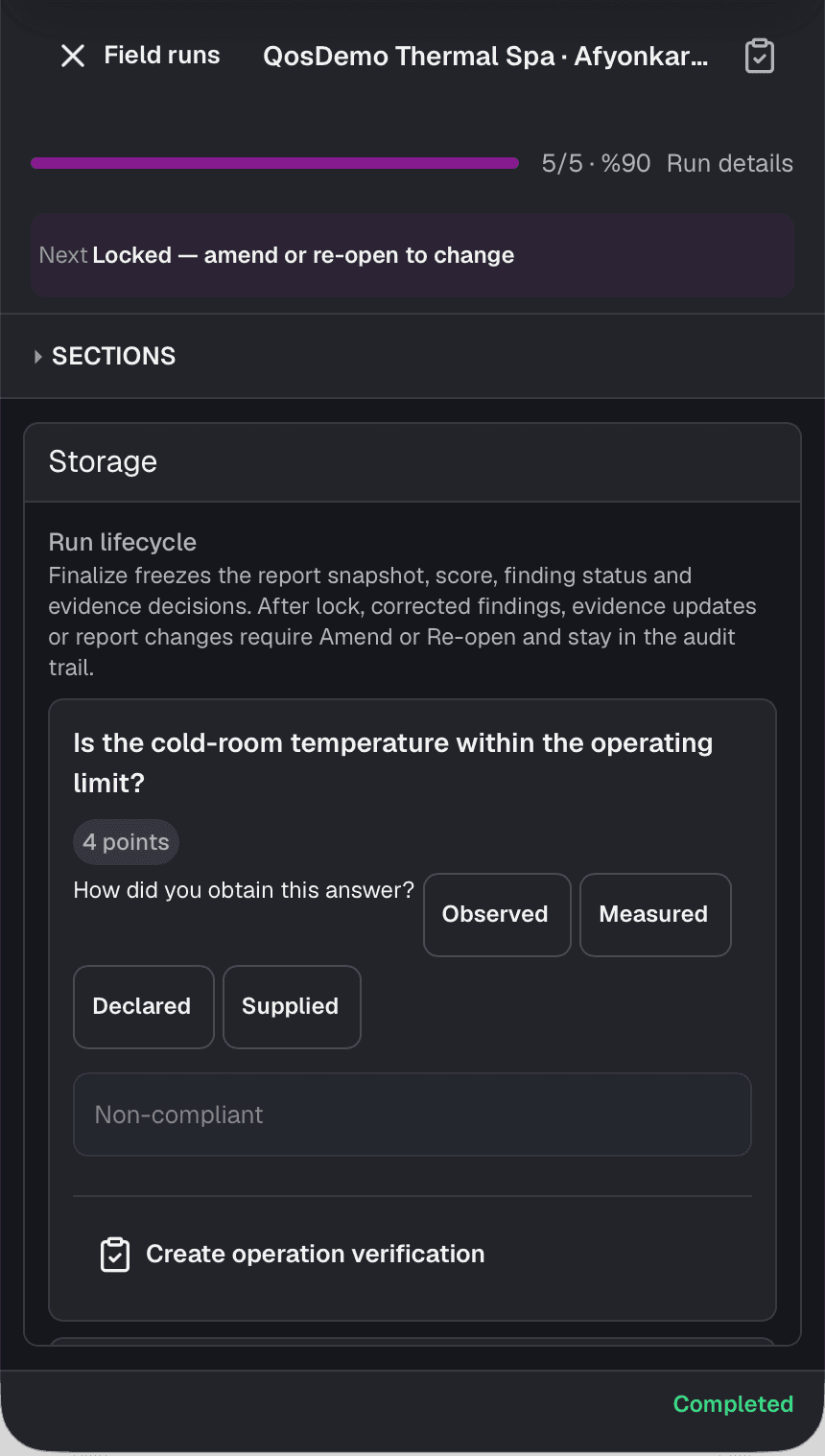
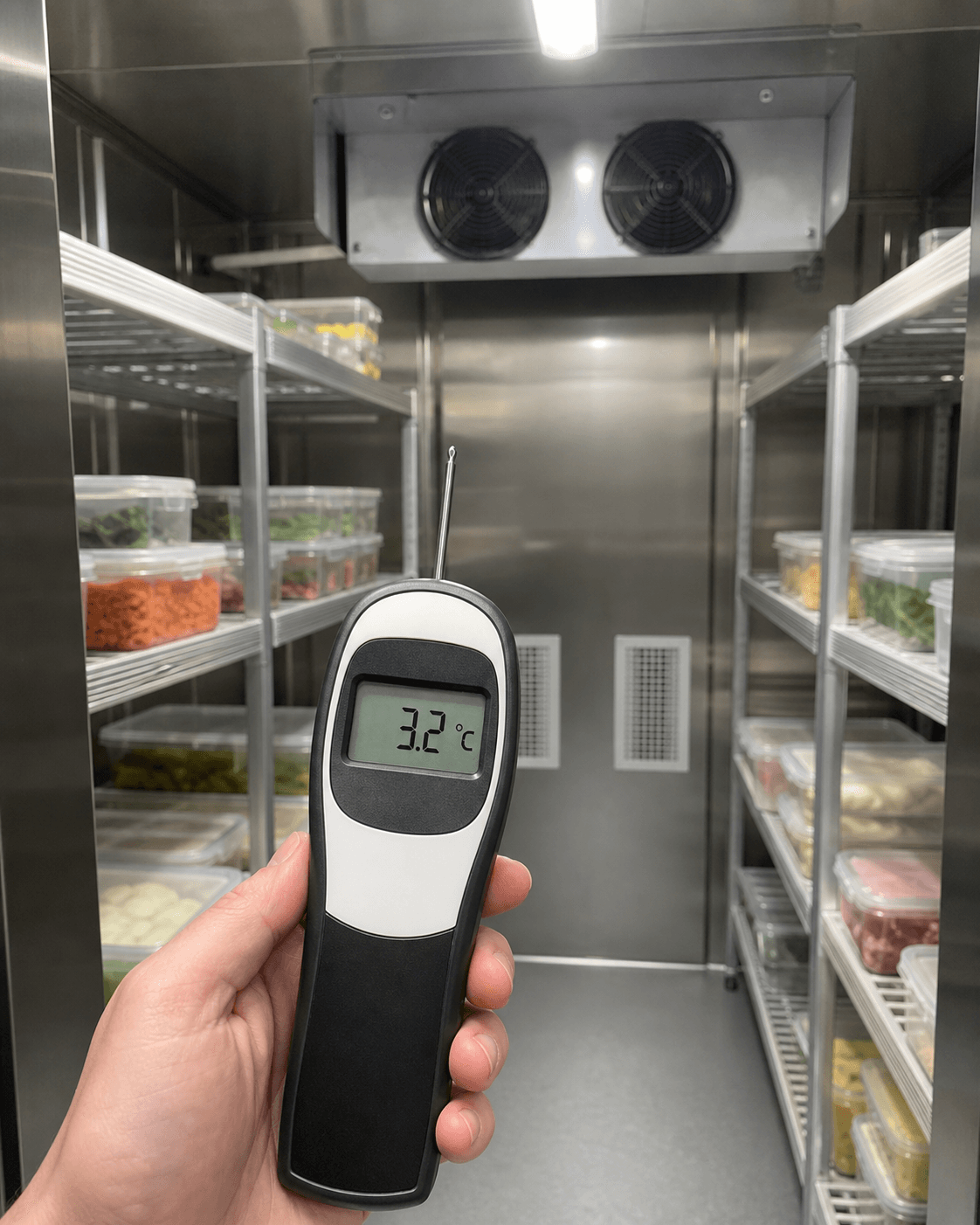
The cold-room check is measured in the field. An out-of-limit result becomes an owned action. After service, 3.2 °C evidence is attached; the action and linked finding close only after verification.

  1. Measure in the fieldThe operator runs the check on a phone and records whether the answer was observed or measured.
  2. Give the work an ownerAn out-of-limit result becomes an action with a clear owner, due date and expected closure.
  3. Verify with evidencePost-service measurement evidence is attached; closure becomes final only after verification.

Actual QOS interface · Fully synthetic QosDemo data and evidence

QOS mobile field screen showing a cold-room temperature check and observed or measured source choices
Field check · Mobile QOS interface
Synthetic demo verification photo showing a 3.2 degree Celsius cold-room reading
Closure evidence · Synthetic demo photo
QOS IN HOTEL OPERATIONS

Move cross-department work into one visible operating flow.

QOS is not a separate hospitality product. The same product brings tasks, maintenance, documents, learning, inspections and portals together for hotel operations.

01 · SHIFTS AND TEAMS

From handover to owned work

When work is handed over verbally or in messages, its owner, due date and expected result can become unclear.

Record it as an Action Item so workspace, owner, date, status, evidence requirement and verification step progress on the same record.

The owner of open work and what it still needs for closure remain visible.Action Items · Workspace view · Evidence · Verification
02 · ROOMS AND FACILITIES

From issue report to maintenance record

When room and facility issues scatter across calls, messages and separate lists, their history is hard to follow.

Turn the work into a work order in its site, area or asset context; connect assignment, resource use and closure evidence to the record.

The issue, completed work and closure evidence stay in one operating chain.Maintenance · Work orders · Spatial and assets · Resource use
03 · PROCEDURES AND COMPETENCE

Put current knowledge in front of the employee

Publishing a procedure does not mean an employee will find or read it at the right time.

Author, review and publish in Document Studio, then send the reading task to the employee flow. When needed, prepare a learning proposal from that exact controlled version and assign it after human review.

Employees reach the current document or learning task without searching through complex menus.Document Studio · Distribution and acknowledgement · Learning · Employee Portal
04 · FIELD AND VERIFICATION

From field check to evidenced closure

A completed check alone does not show that an out-of-limit result was corrected.

Run the scheduled check on a phone, lock the record, connect the finding to owned work and make closure final only after required evidence is verified.

The check, finding, correction and verification remain connected.Audit planning · Mobile field run · Findings · Evidenced closure

QOS does not replace a PMS. Capabilities appear according to role, authority, workspace and configured operating scope.

SEE QOS IN YOUR OWN OPERATION

Let us run one of your real workflows through QOS.

We will first clarify where QOS fits in your operation, then use the demo to examine your workflow rather than giving you a generic feature tour.

Request a demoExplore the product