 Qos|c
Qos|cTaking information to a separate AI tool
- Export the relevant information.
- Transfer it to the AI tool and explain the context.
- Review the response.
- Enter the result back into the relevant system.
Qos is an operating system where people, information and AI can work together on the same work.
The work, the information behind it and its outcome stay in one record.
Everyone joins from their own surface; no one has to learn the whole system.
It helps within permitted scope; the decision and its reasoning stay with people.
The detail pages open beneath these three questions; the home page does not carry them all.
All capabilitiesIllustrative scenario · Not a live product screen
In this illustration, the requested document, reviewer and target date appear together. There is less need to move the same information between a conversation, a file and a task.
In the proposed scenario, the supplier submits the document, an employee reviews it and an authorized person decides. If a partner needs to participate, their role and access are defined separately; not everyone needs to learn the whole system.
In the proposed use, AI could summarize gaps from permitted documents. The reviewer considers the suggestion and its sources; an authorized person approves where required. This particular AI flow has not yet been verified in the product.
Request → Document submission → Review → Recorded decision
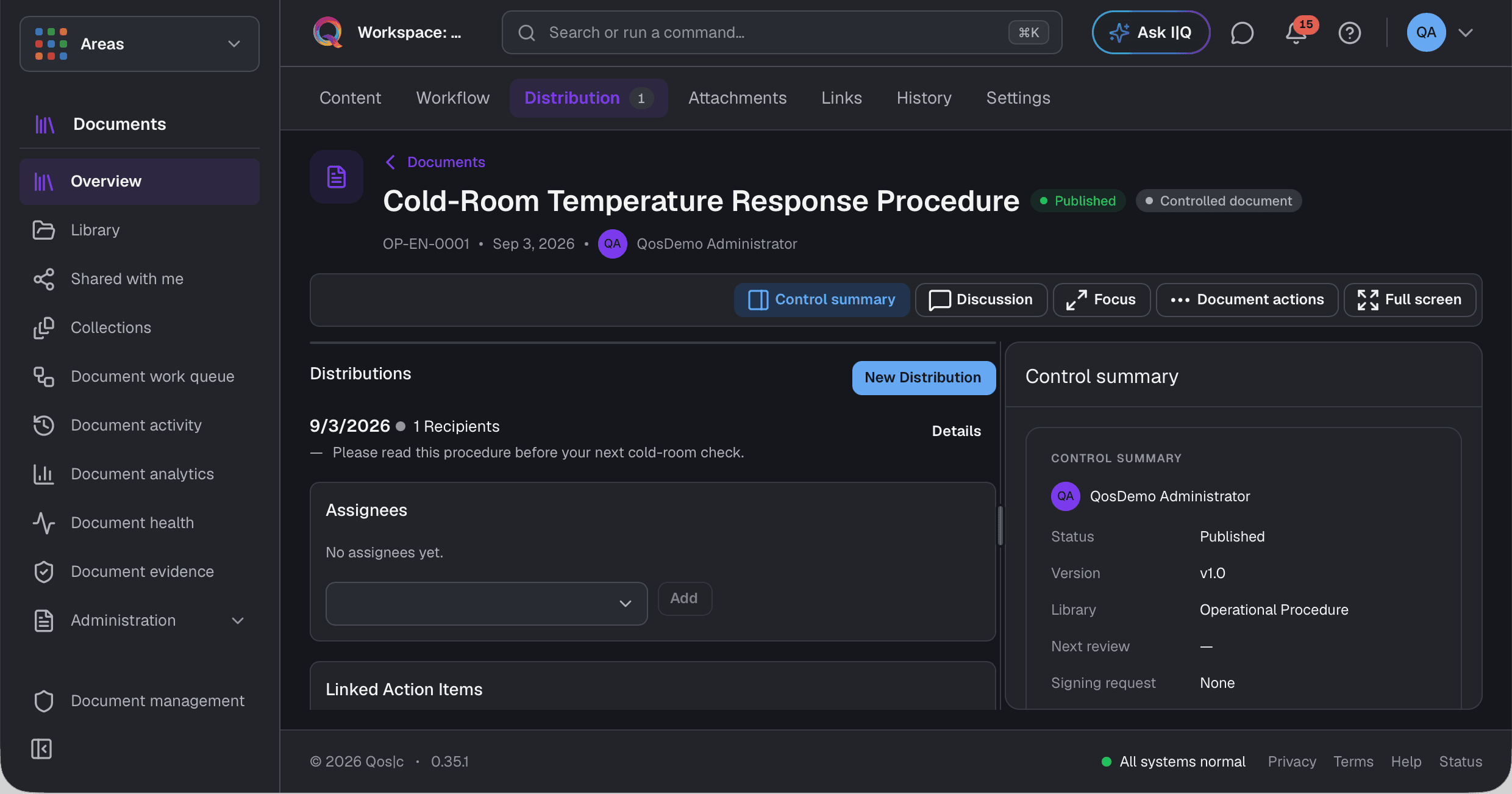
A proposed flow, not a history of completed actions. This scenario has not yet been verified end to end in the product.Actual Qos interfaces · Synthetic QosDemo data · Existing demo archive
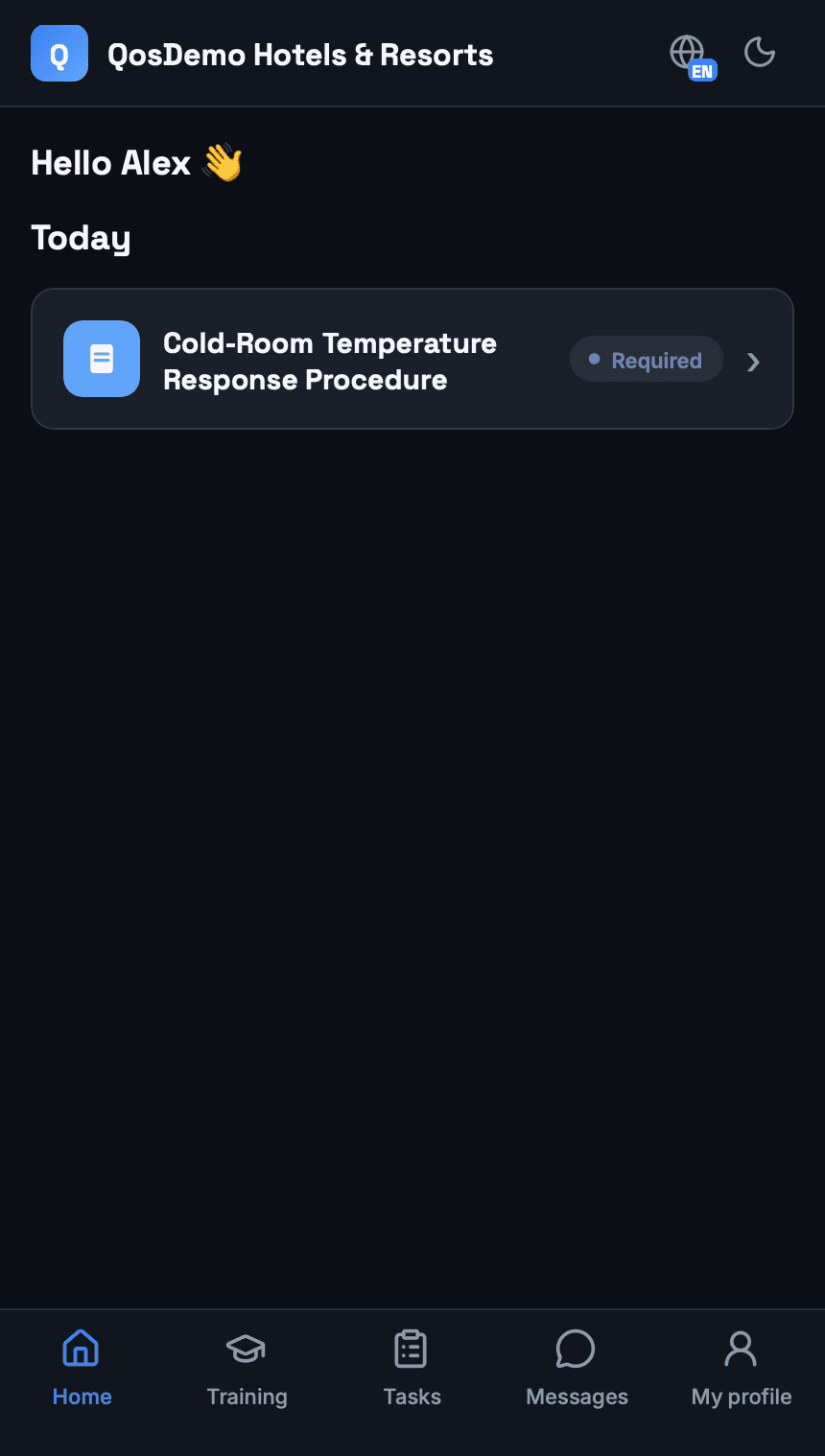
The source appears alongside the draft. The content is reviewed and edited before publication.
Generation does not replace human review or the publication decision.
Details of this flow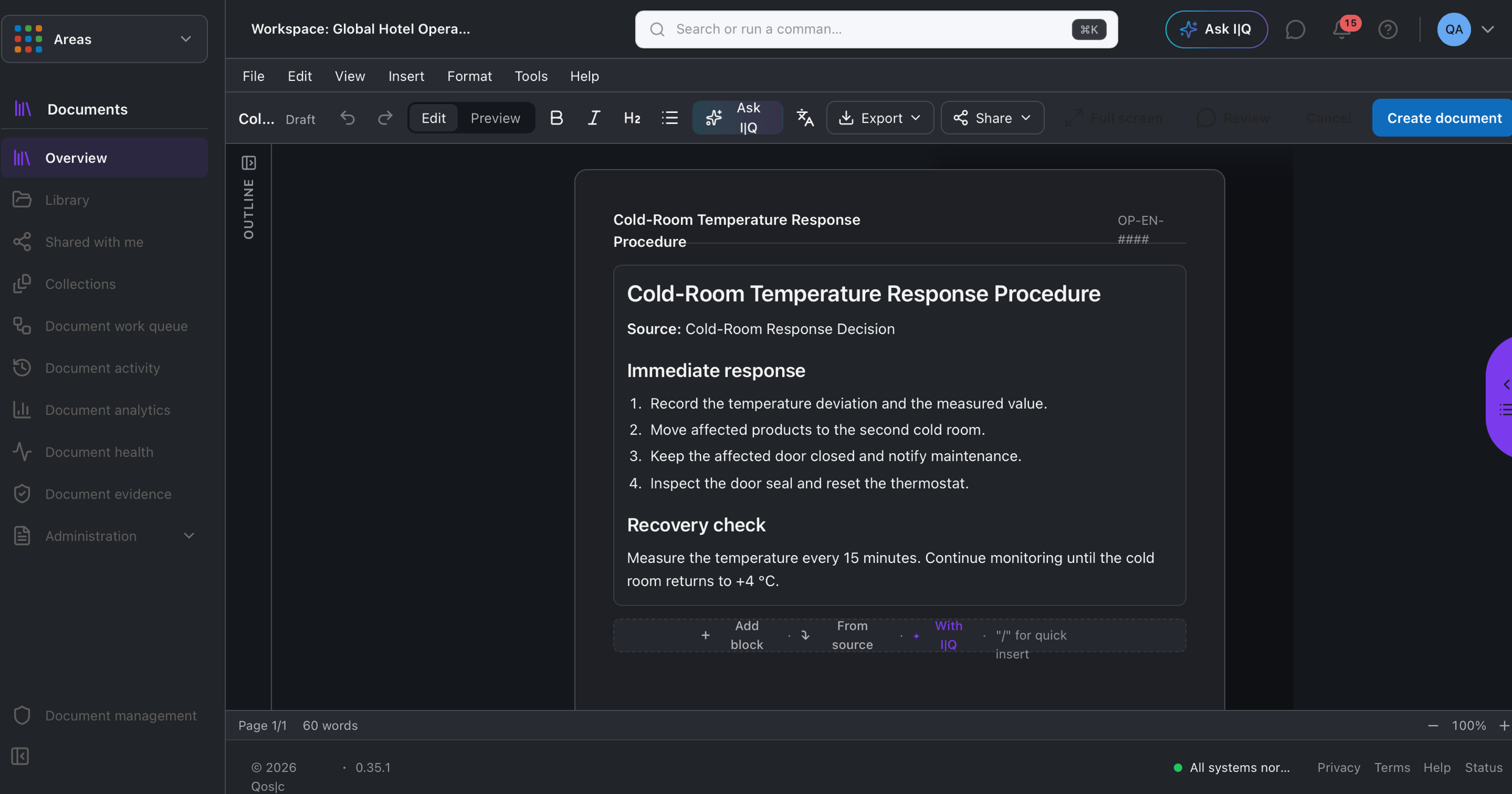
The employee opens the document through an assigned reading task, without searching through menus.
The task shown is pending; it is not evidence of a completed reading.
Details of this flow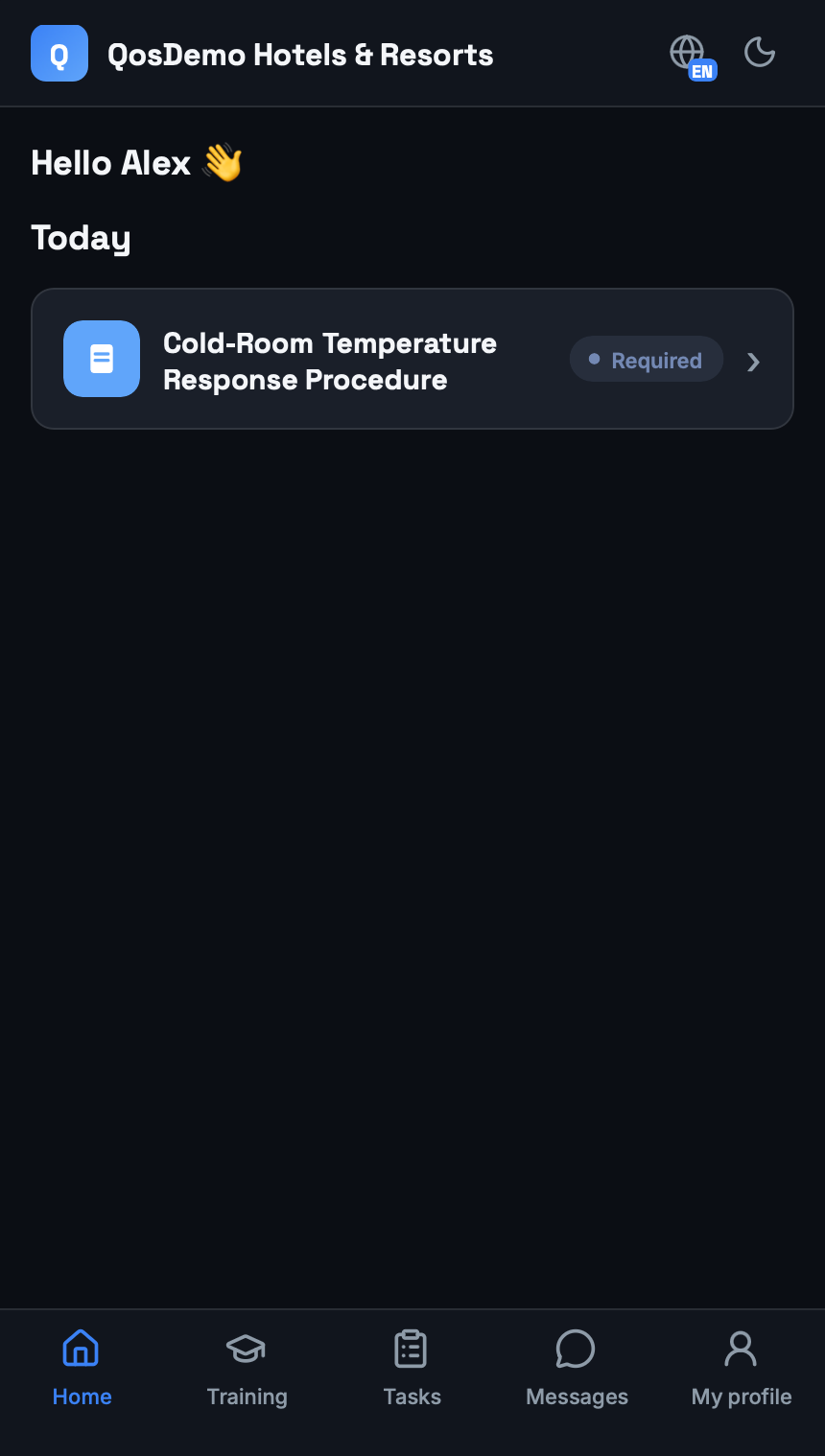
Distribution and reading are tracked separately. Sent does not mean read.
Recipients and their status can be followed alongside the document.
Details of this flow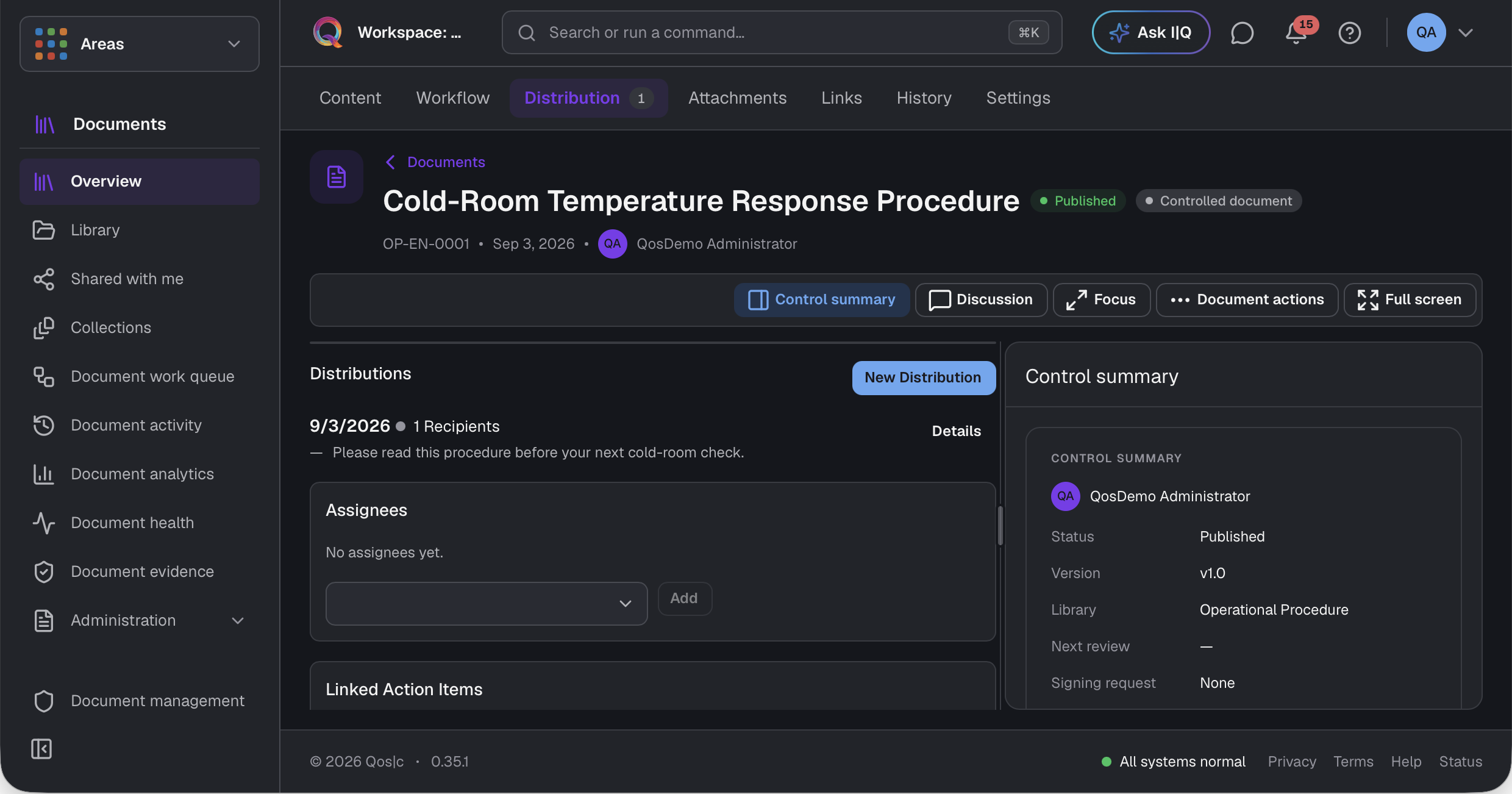
You can get help with the work at hand without gathering the same information or retelling its history. AI accesses permitted records; operations follow defined permissions and approval rules.
I|Q within Qos · A Qos connection through ChatGPT
Limited to supported records and operations. Generating a suggestion and recording an action are different things.
About AI and automation →From everyday follow-up to learning, field work and approvals, the work moves forward with its people, information and records.
Inspection finding → follow-up work → outcome record
Decision in a conversation → document → reading task
Information source → learning content → employee
Area / asset → maintenance work → outcome record
Conversation → related task → responsible person
Related record → AI suggestion → review / authorized action